
Good website design helps people notice the right thing, understand it quickly, and feel comfortable taking the next step.
You can walk into a well-organized store and sense that someone thought about the experience. The entrance is clear. The signs make sense. Products are easy to compare. A website creates a similar impression through color, spacing, contrast, photographs, and the placement of information.
That impression often begins before someone reads a full paragraph. But attractive design is only the beginning. The real job is to turn attention into understanding: what you offer, who it helps, why it matters, and what someone should do next.
Why visual appeal matters before the words do
Visitors do not arrive with unlimited patience. They may be comparing three businesses on a phone, standing outside a store, or looking for an answer between other tasks. The page needs to make its purpose recognizable.
Research by Tuch and colleagues found that visual complexity and familiarity influenced participants’ early aesthetic judgments of website screenshots. That supports a useful design principle: recognizable structure and manageable complexity can help a page make a better first impression. It does not prove that a particular layout will generate sales. Read the research summary.
In practical terms, a visitor should not have to decode your navigation or distinguish five equally loud offers. Let the first screen introduce one clear promise. Give the next section a specific job. Then provide enough detail and evidence for someone who wants to investigate.
Color needs a job, not a personality test
Color can establish mood, separate sections, connect related elements, and draw attention. It cannot reliably tell you that every visitor will trust blue, buy because of red, or associate green with exactly the same thing. Context, culture, industry, personal experience, and surrounding colors all matter.
A useful color system starts with roles. Choose a readable background and text combination. Add an accent for the primary action. Use supporting colors to distinguish categories or explain a comparison. Keep those roles reasonably consistent so people learn what the design is communicating.
Dark text makes the message readable.
A focused accent identifies the next step.
A quiet background lets important details stand out.
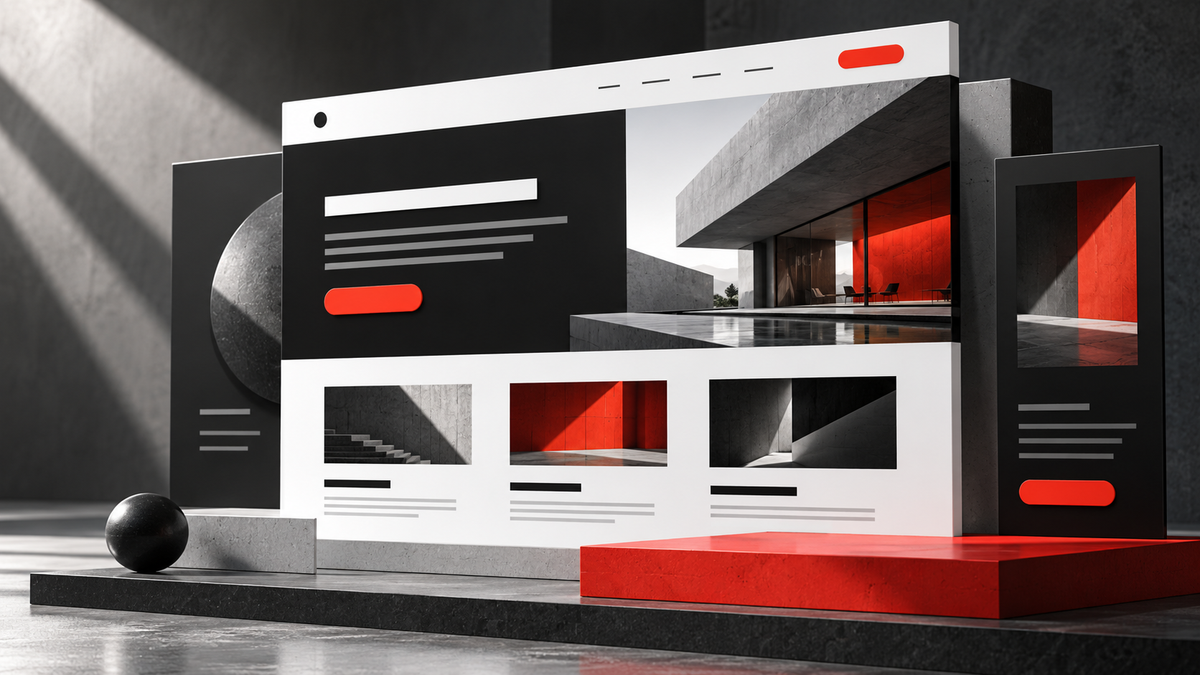
For example, a red consultation button can work beautifully on a mostly white and charcoal page. If every heading, border, icon, and background is also bright red, the button loses its distinction. “Pop” comes from contrast with the surroundings, not simply from choosing a louder color.
Contrast is about being able to read
Contrast describes the difference between an element and what sits behind it. Light gray text on white may look refined on a designer’s monitor but become difficult to read on a phone in daylight. Text placed over a busy photograph can disappear as the image crops or the screen gets smaller.
The W3C’s WCAG Level AA contrast criterion calls for at least 4.5:1 for normal text and 3:1 for qualifying large text, with specified exceptions. These are measurable thresholds, not a substitute for checking the actual page. See the contrast guidance.
Use a contrast checker on real foreground and background colors. Test button labels, navigation, form instructions, and muted secondary text as well as headings. Do not rely on color alone to explain errors or status: include a clear label or symbol with understandable text.
Readable typography matters just as much. Use a comfortable body size, sufficient space between lines, and paragraphs that do not run across the entire desktop screen. A wide website can still have sensible reading columns. More available width does not mean every sentence must stretch from edge to edge.
Placement tells people what matters
Visual hierarchy is simply the order in which the page invites attention. Size, position, spacing, contrast, and imagery all contribute. A large heading near a relevant image usually receives more attention than a small note buried beneath a long paragraph.
Begin with the questions a visitor is likely to ask. A service page might answer: What is this? Is it right for my business? What does the work include? Can I see an example? How do I get started? Place the information in that order unless the situation gives you a good reason to change it.
Several equally loud elements leave the visitor to choose a starting point.
A headline, useful supporting detail, and one clear action establish direction.
Keep related information together. A price needs its scope and conditions nearby. A product option needs an understandable label. A consultation button should follow an explanation of what the conversation is for. Making someone hunt between unrelated sections creates unnecessary work.
Order and alignment make a page easier to follow
People often describe a preference for tidy spacing as being “OCD.” In design, the more accurate terms are consistency, alignment, and visual organization. Obsessive-compulsive disorder is a clinical condition, not a general preference for neat layouts. NIMH explains that distinction through its description of OCD.
For a website, consistent alignment helps visitors understand which elements belong together. Equal spacing between comparable items suggests equal importance. A larger gap can signal a new topic. Repeated button styles make actions recognizable across pages.
This does not require perfect symmetry everywhere. An intentionally offset photograph or a strong block of color can create interest. The key is that the variation feels purposeful. A slightly different margin on every section usually looks accidental; one deliberate break in a consistent system can feel confident.
Use pictures to explain something the reader needs
A useful image has an assignment. It might show the finished work, demonstrate a feature, compare alternatives, reveal scale, or make a process easier to understand. If its only job is filling an empty rectangle, it may add visual noise without adding value.
A website designer can show desktop and mobile views of an actual project. An installer can show a finished installation and a close-up of the detail that matters. A consultant can use a simple workflow graphic to explain what happens after an inquiry. Those choices connect directly to the visitor’s questions.
Captions can do important work: explain what the image demonstrates, identify an illustrative example, or draw attention to a detail someone might miss. Alternative text should communicate the meaningful image content to people who cannot see it. Avoid stuffing keywords into either.
Prepare images for their placement. A wide banner and a square preview are different shapes. Keep essential details away from crop boundaries, or display the full image when the composition needs to remain intact. Compress files appropriately and check that loading does not push the text around.
Appeal to the senses without overwhelming them
A screen cannot reproduce the weight of a tool or the texture of a fabric, but photographs can communicate those qualities through detail, lighting, and scale. A short demonstration can show how a mechanism works. Clear wording can explain the practical benefit the image suggests.
Motion should also have a reason. A subtle response when someone selects an option can confirm that something happened. Constant animation, automatic sound, and competing moving elements can make the page harder to use. Give visitors control over video and respect reduced-motion preferences.
Attention is not the same as usefulness. A flashing element may attract the eye while distracting from the purchase decision. A visually quiet comparison table may help someone choose with confidence. Judge the design by what it helps the visitor accomplish.
A practical review you can do today
- Check the first impression: can a new visitor explain what you offer after a brief look?
- Scan without reading every word: do the headings tell a coherent story?
- Review the images: does each one answer a question or demonstrate something relevant?
- Check the phone layout: are text, controls, and important image details still usable?
- Follow the action: does the button lead to the expected form or page, and does that destination explain what happens next?
Ask someone unfamiliar with the business to complete a real task, such as finding a service and requesting information. Watch where they hesitate. Their difficulty may reveal more than a discussion about favorite colors. Record the issue, make a focused improvement, and check the task again.
Make your website easier to understand
Web Simple’s website design and rebuild services bring layout, wording, navigation, and relevant imagery together. Our graphic design work can extend that clarity into supporting materials and advertising.
If your site feels busy, dated, hard to read, or difficult to navigate, tell us which pages concern you and what visitors should be able to do. We can review the experience and discuss a practical scope for improving it.